Using folder>less
You're set up — here's how to put Folderless to work: register where your files live, bring documents in, and review what it finds.
- 1
Find Smart Storage
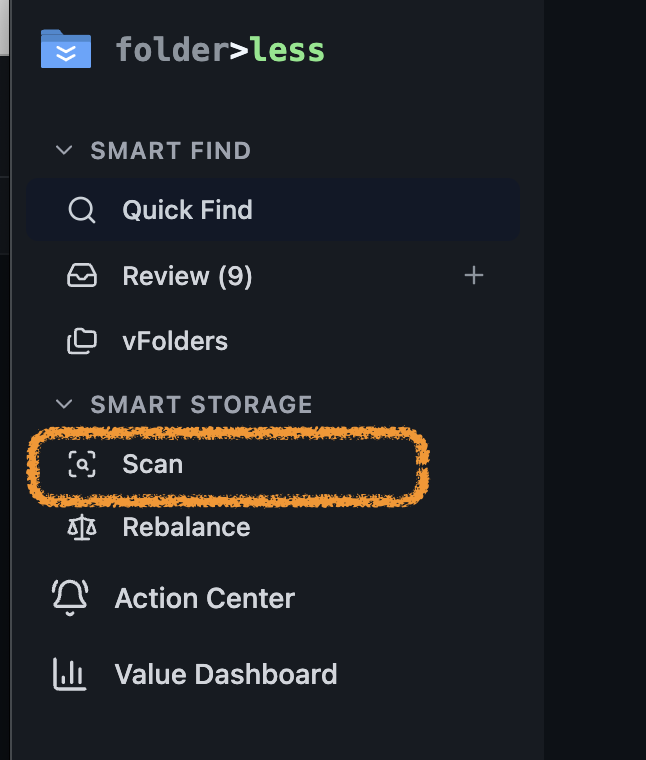
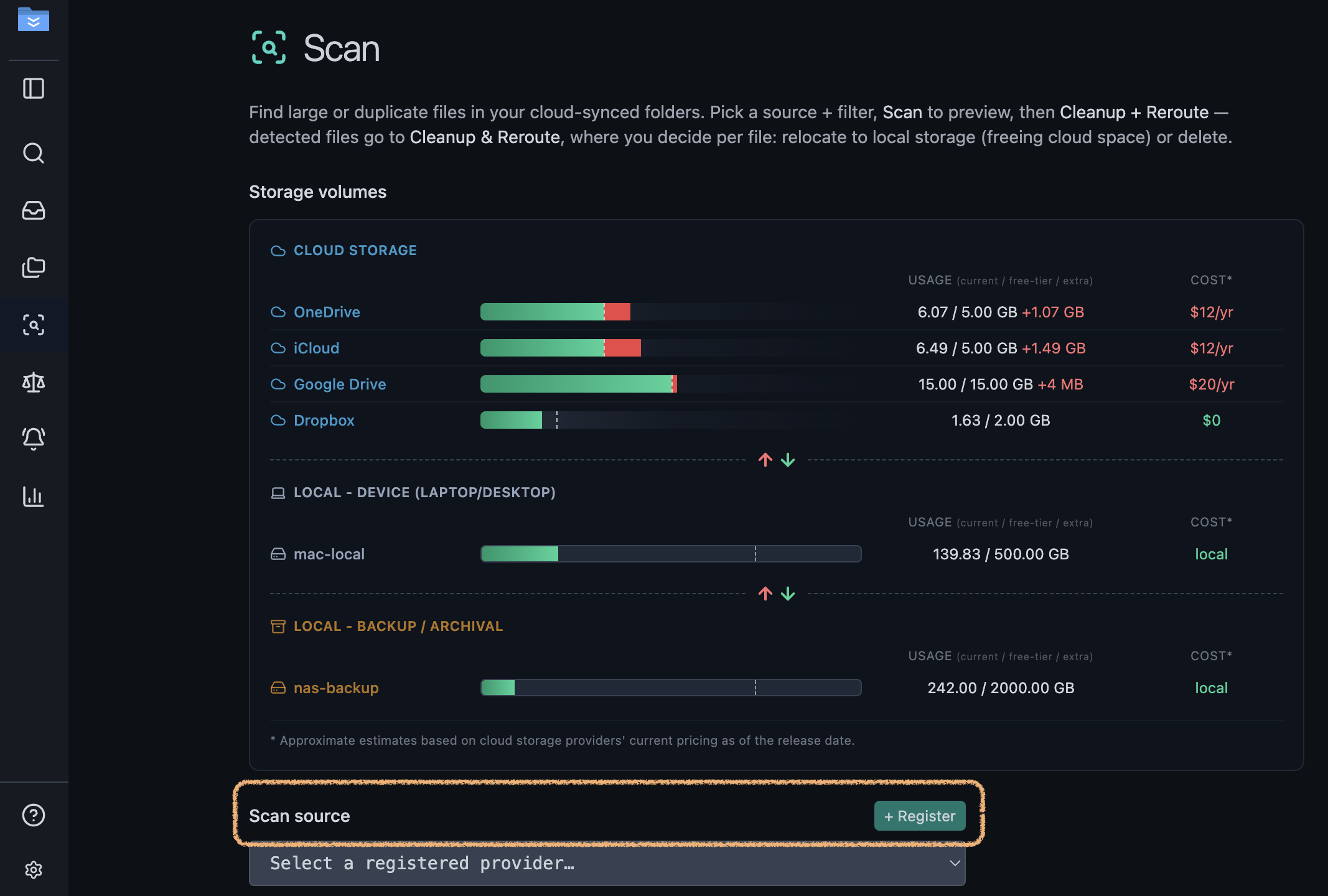
Open the sidebar → Smart Storage → Scan. The Scan page shows every place your files live — cloud, this device, and backup — with usage and cost, plus a + Register button.
- 2
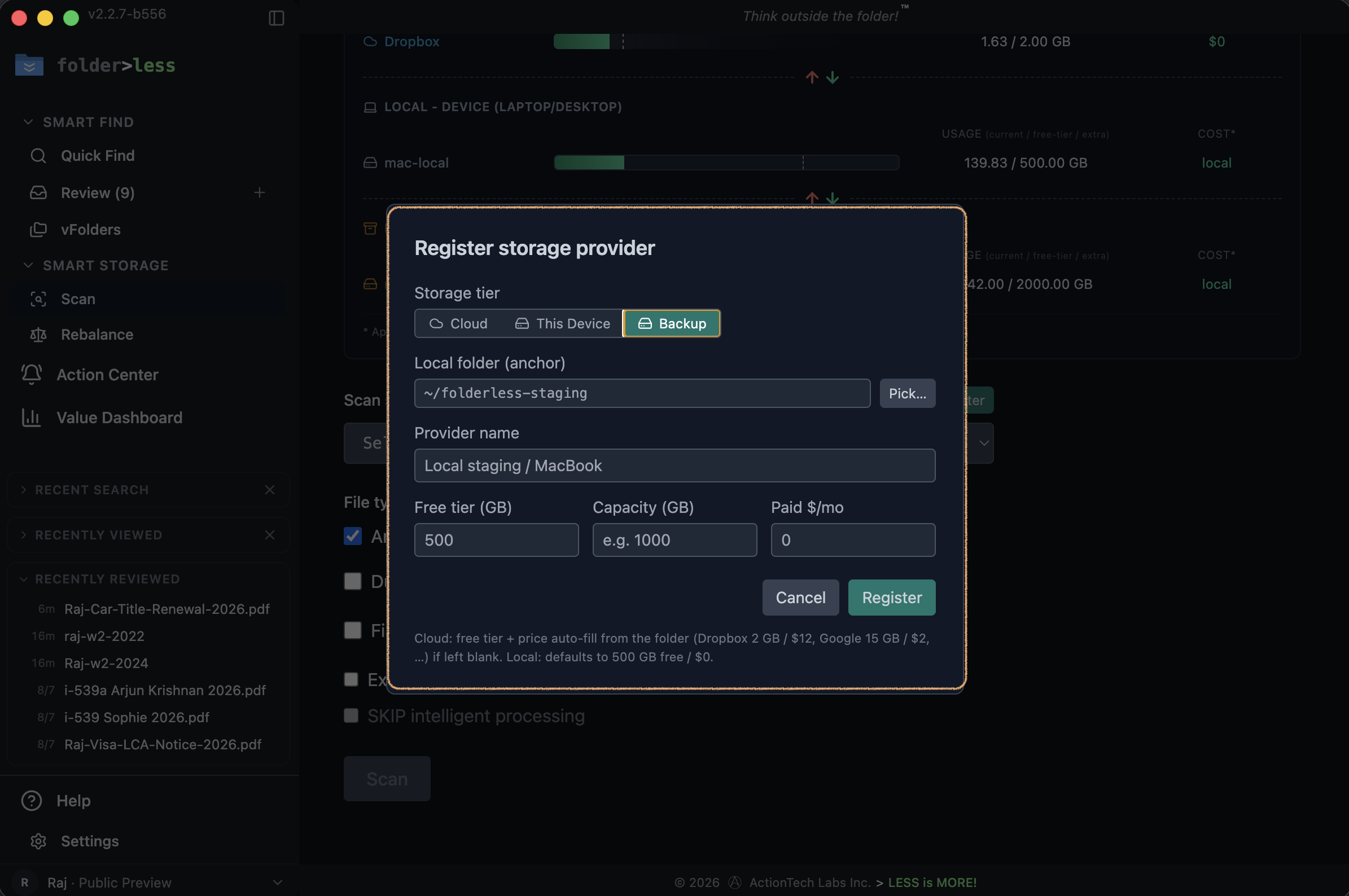
Register your storage
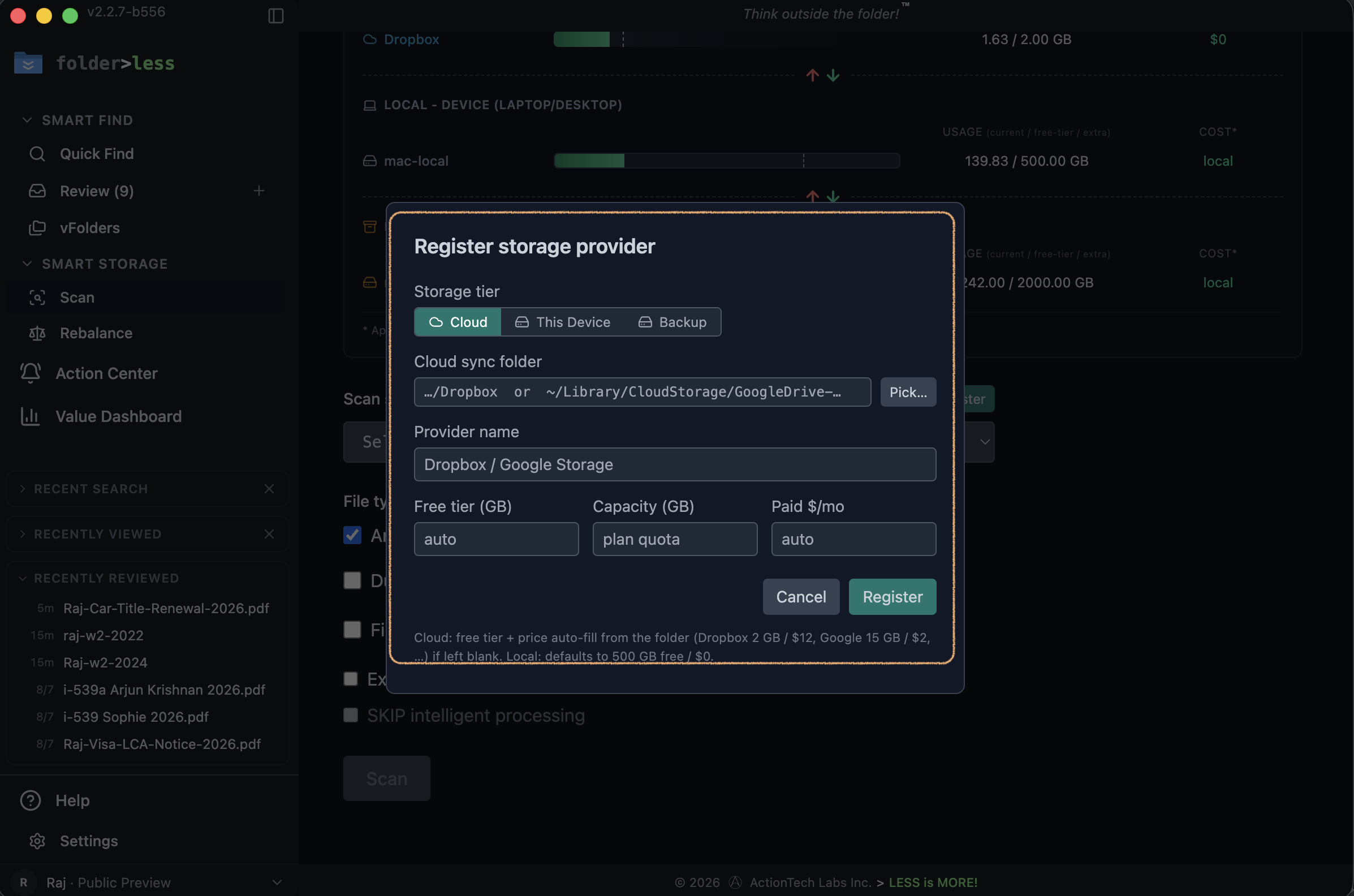
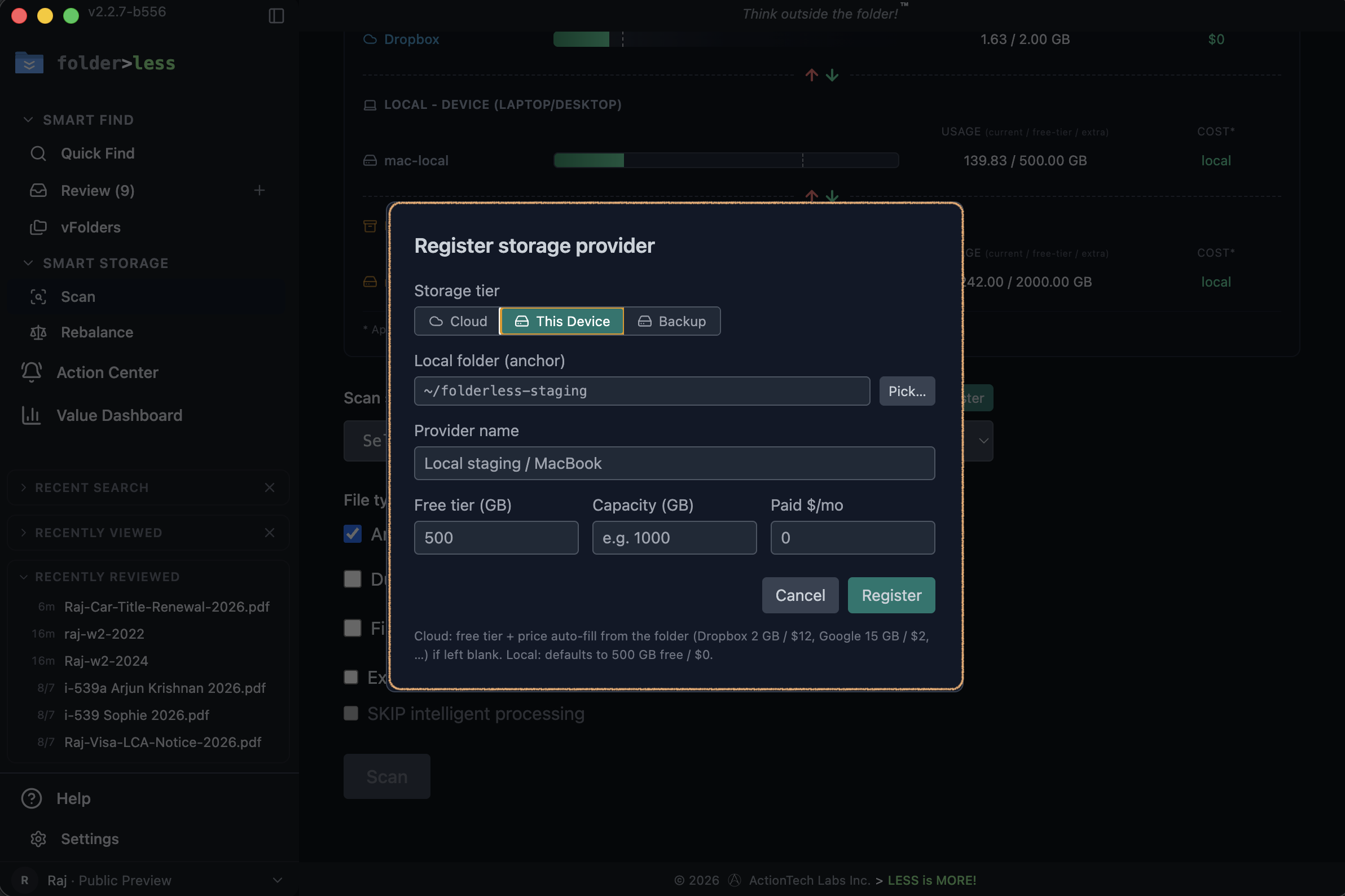
Tell Folderless where your files live — register each place once. No accounts, no cloud passwords. Cloud reads the local sync folder your provider already keeps on your computer (Dropbox, Google Drive, iCloud…); This Device is any local folder; Backup is an archival location. Free tier and cost auto-fill.
- 3
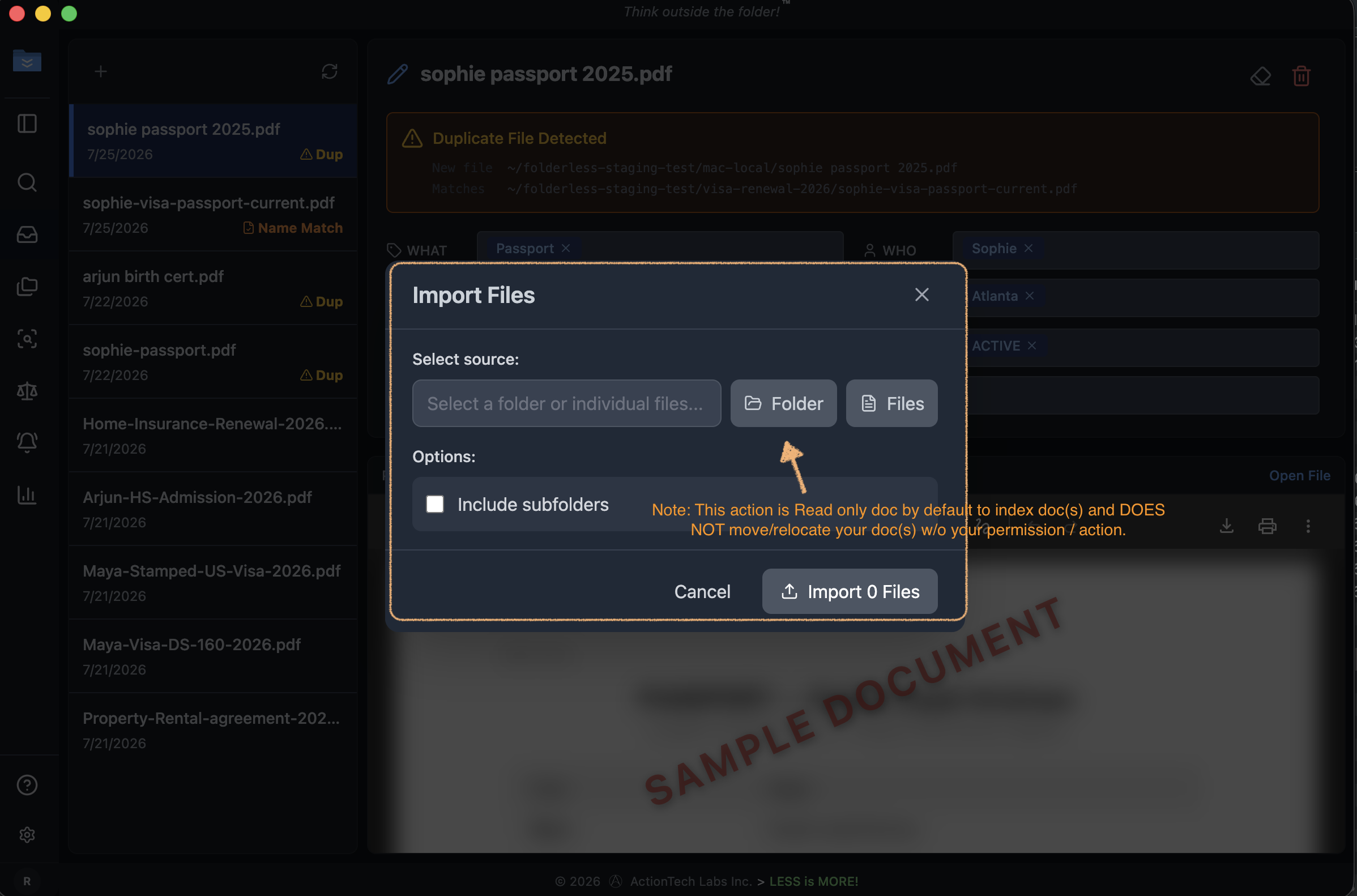
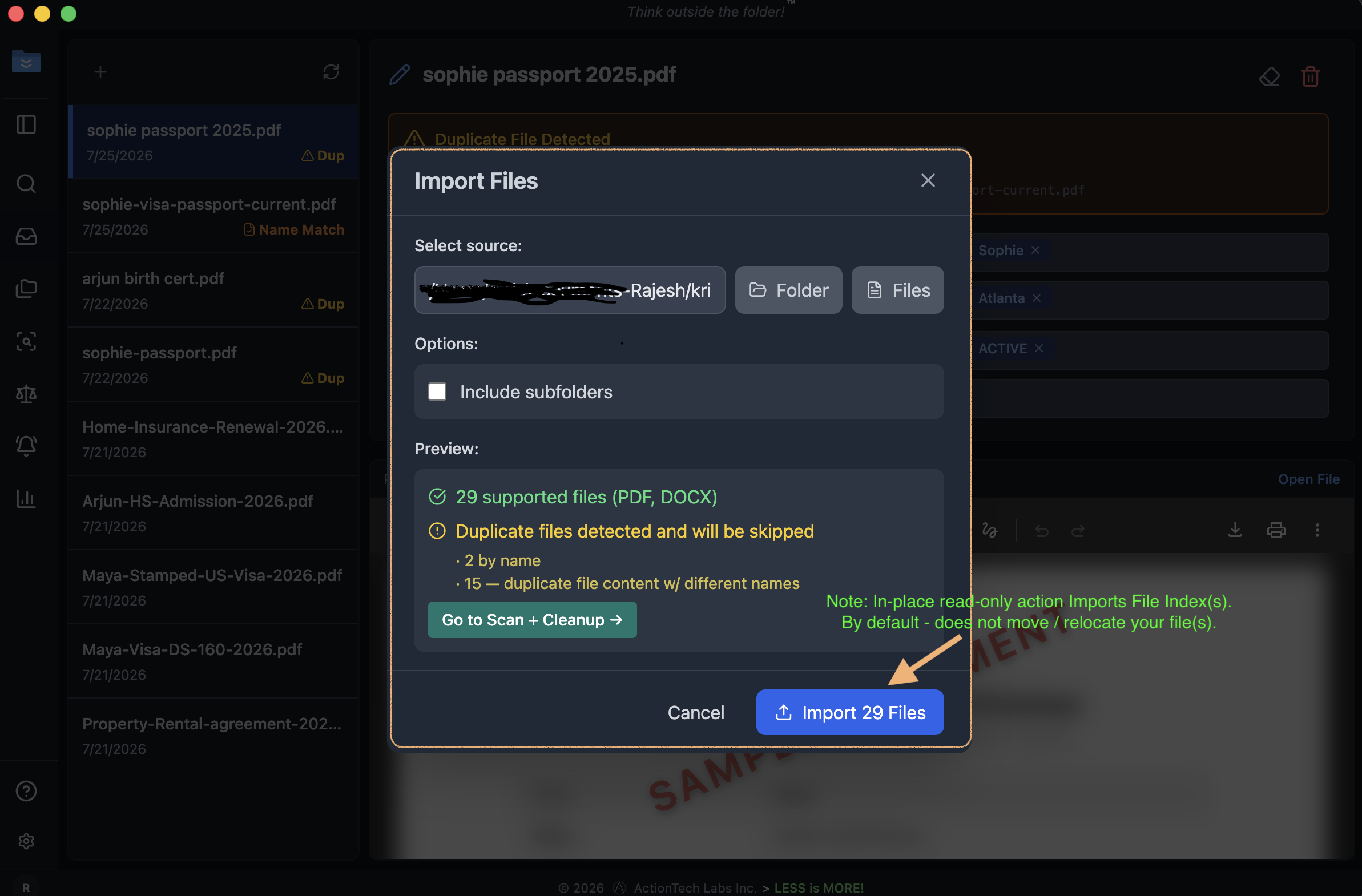
Import your documents
Open Import Files → pick a folder or individual files (optionally include subfolders). Read-only by default — Folderless indexes your documents on-device and never moves them without your action.
- 4
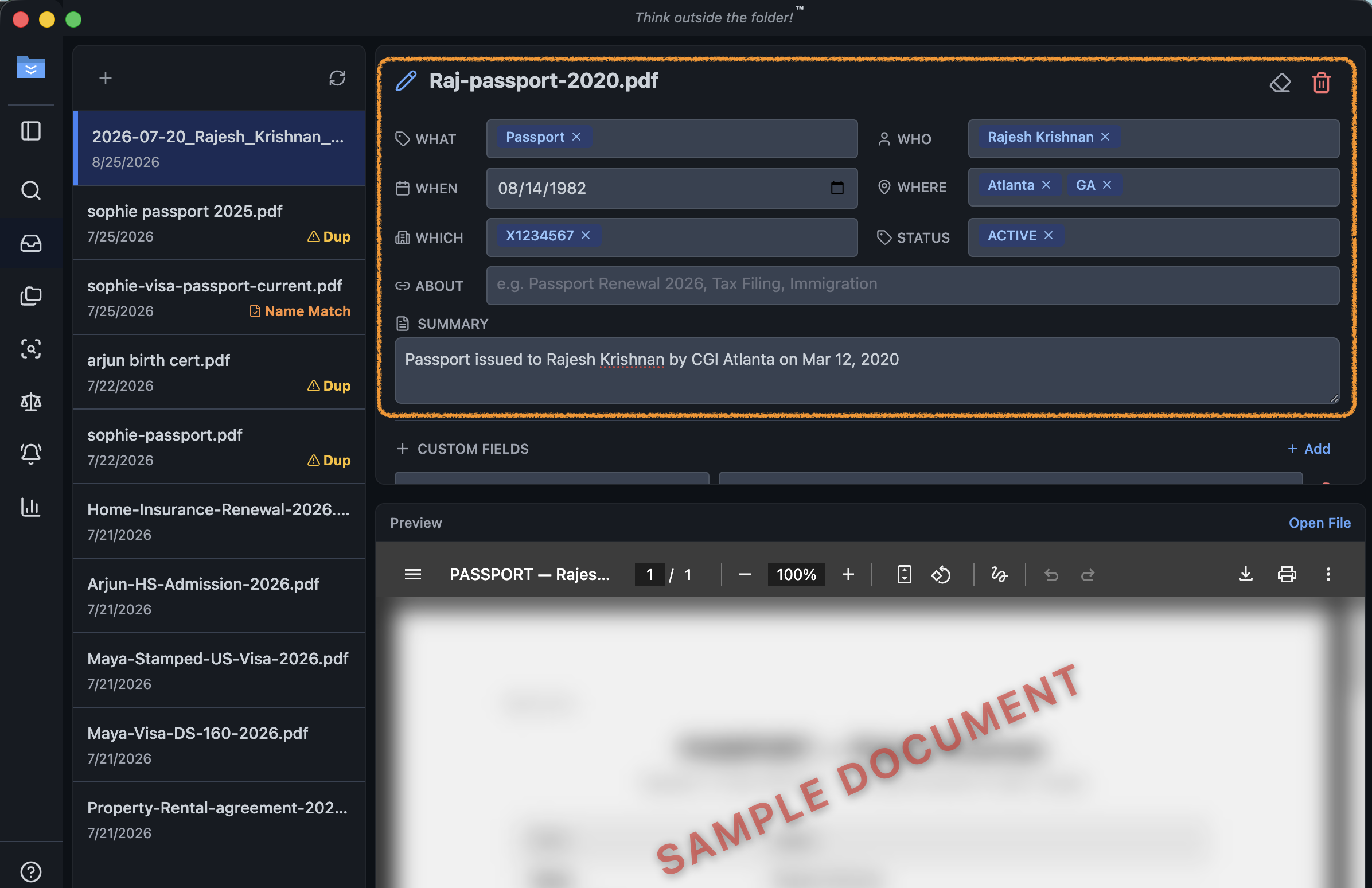
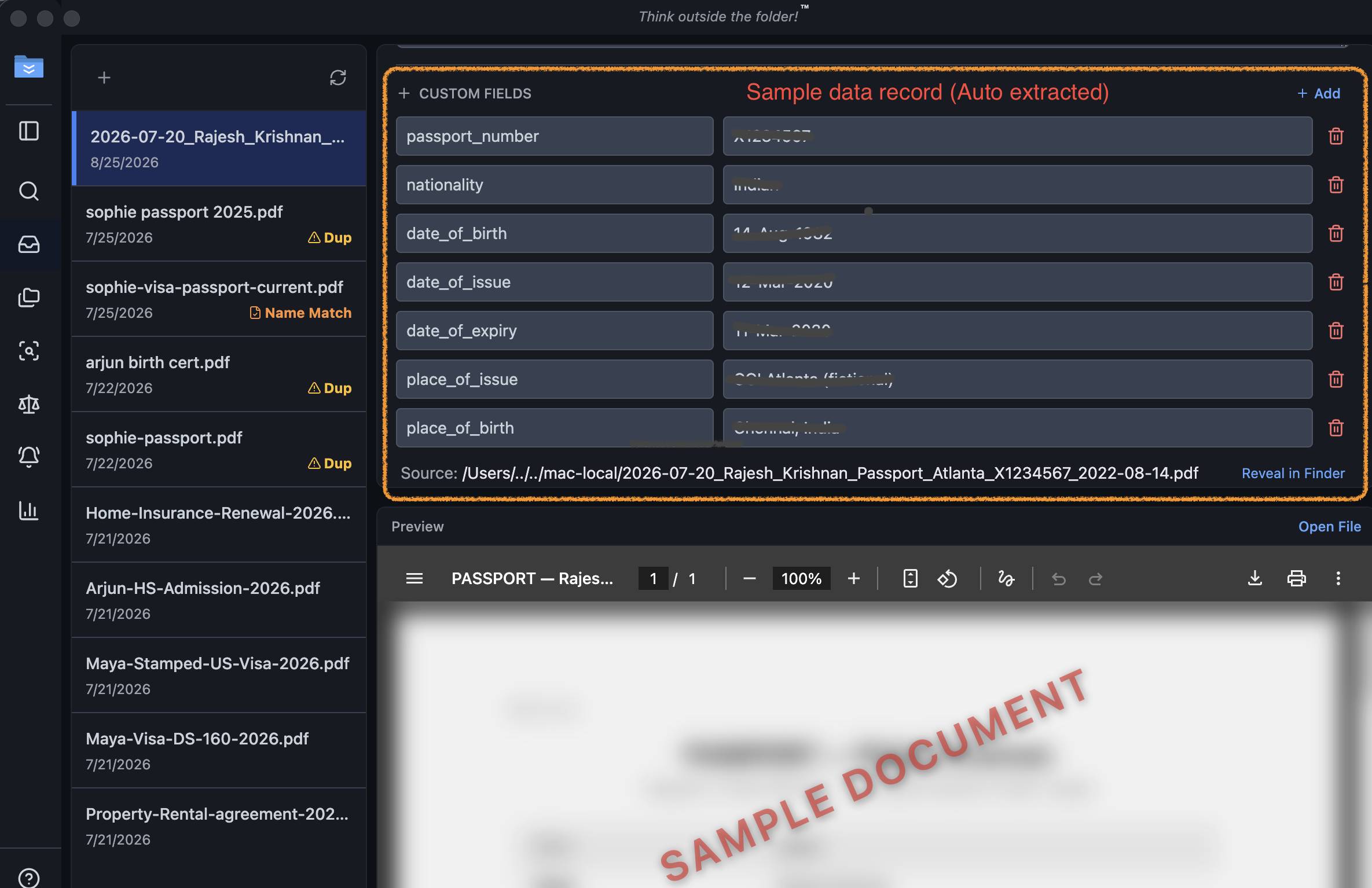
Review + confirm
Folderless extracts who, what, when, where, which, and status — plus a short summary — for each document. Check the preview, confirm or correct the tags, add custom fields, and it becomes findable by meaning.
What's next
Deep-dives on Find, Save, and Act are coming soon.